
Massive Adds x402 Payments Access for AI Agents with Coinbase
Massive US stock data is now available to AI agents via x402. Pay per request in USDC on agent.massive.com, with no account or API key. Built with Coinbase.

editor
Introducing
May 28, 2026
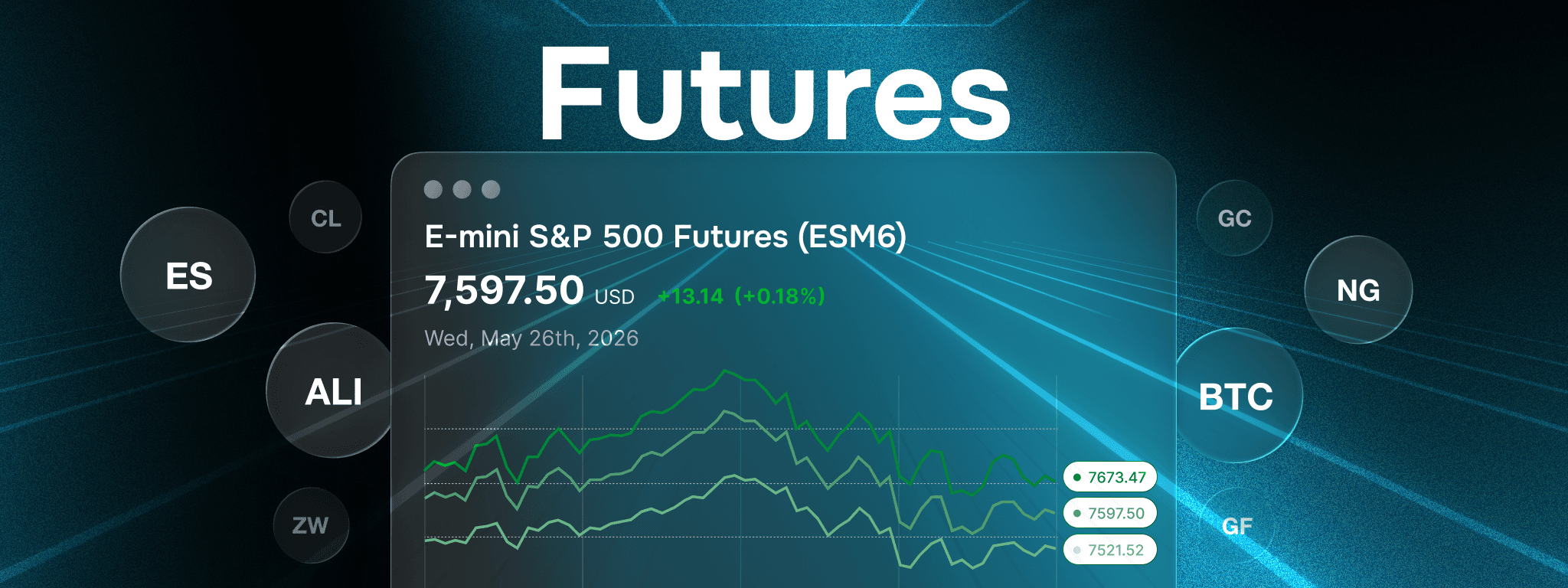
TL;DR - Massive’s Futures APIs are now generally available, providing real-time and historical market data for top U.S. futures (ES, GC, CL) from CME, CBOT, COMEX, and NYMEX, accessible via REST, WebSockets, and Flat Files.
We are excited to announce the general availability of Massive's Futures APIs providing real-time and historical market data for top U.S. futures contracts including E-mini S&P 500 (ES), Gold (GC), and Crude Oil (CL) futures. Access data from major exchanges like CME, CBOT, COMEX, and NYMEX using our REST APIs for on-demand queries, WebSockets for real-time streaming, and CSV Flat Files for bulk historical downloads.
Demo UI built using Massive Futures + OpenAI's Codex
Whether you’re building algorithmic trading systems, backtesting strategies, running risk models, or feeding dashboards, the Futures APIs bring the same developer-first experience you know from Massive’s Stocks, Options, Indices, Forex, and Crypto products, now extended to futures trading. We offer both personal and enterprise plans depending on your needs, check our pricing page to get started.
Futures have been one of our most requested asset classes, and we're excited to bring them to the Massive platform. Futures are standardized, exchange-traded contracts to buy or sell an underlying asset (commodities, indices, currencies, etc.) at a predetermined price on a future date. Unlike stocks or options, futures trade nearly 24 hours a day, 5 days a week (typically Sunday 5:00 p.m. CT through Friday 5:45 p.m. CT, with daily maintenance windows).
This continuous trading makes futures a leading indicator for macro sentiment and global events. For example, WTI Crude Oil (CL) futures often react in real time to geopolitical tensions, OPEC decisions, inventory reports, and sudden shifts in global supply and demand, frequently moving before traditional equity or bond markets even open. U.S. futures trading is also exempt from the Pattern Day Trader (PDT) rule that applies to stocks and options, so active traders face no $25,000 minimum equity requirement.
Some of the most actively traded contracts include:
Next, let’s walk through how to access futures data using the Massive.com APIs. We support three integration methods: REST for on-demand queries, WebSockets for real-time streaming, and flat file downloads for large-scale historical access.
The REST API provides access to real-time and historical market data and is designed around a natural developer workflow, discover the product, select the right contract expiration, understand when it trades, and then retrieve the market data you need.
Let’s walk through an example workflow by identifying a futures product. ES represents the E-mini S&P 500 Futures. You can retrieve detailed product metadata using the Products endpoint.
Request Example
from massive import RESTClient

client = RESTClient("YOUR_API_KEY", pagination=False)

products = []
for p in client.list_futures_products(
    product_code="ES",
    asset_class="financials",
    type="single",
    limit="1",
    sort="date.asc"
):
    products.append(p)

print(products)
Response Example
[
    FuturesProduct(
        product_code="ES",
        name="E-mini S&P 500 Futures",
        date="2025-03-12",
        trading_venue="XCME",
        asset_class="financials",
        asset_sub_class="equity",
        sector="us_index",
        sub_sector="small_cap_index",
        type="single",
        last_updated="2025-03-11T20:02:08-05:00",
        price_quotation="U.S. dollars and cents per index point",
        settlement_currency_code="USD",
        settlement_method="financially_settled",
        settlement_type="cash",
        trade_currency_code="USD",
        unit_of_measure="IPNT",
        unit_of_measure_qty=50.0,
    )
]
Once you understand the product, the next step is to explore its available contracts using the Contracts endpoint. This returns the full list of expirations (e.g. ESU6, ESZ6) along with complete specifications: first/last trade dates, settlement date, tick sizes, order quantity limits, days to maturity, and point-in-time active status.
Request Example
from massive import RESTClient

client = RESTClient("YOUR_API_KEY", pagination=False)

contracts = []
for c in client.list_futures_contracts(
    product_code="ES",
    ticker="ESU6",
    limit="1",
    sort="product_code.desc"
):
    contracts.append(c)

print(contracts)
Response Example
[
    FuturesContract(
        ticker="ESU6",
        product_code="ES",
        trading_venue="XCME",
        name="ESU6 Future",
        type="single",
        date="2025-03-12",
        active=True,
        first_trade_date="2023-08-21",
        last_trade_date="2026-09-18",
        days_to_maturity=554,
        min_order_quantity=1,
        max_order_quantity=3000,
        settlement_date="2026-09-18",
        settlement_tick_size=0.25,
        spread_tick_size=0.01,
        trade_tick_size=0.25,
        group_code="ES",
    )
]
After selecting a specific contract (for example ESU5), you’ll want to know exactly when it trades. The Schedules endpoint returns precise session information, pre-open, open, close times, intraday breaks, and holiday adjustments, all in UTC.
Request Example
from massive import RESTClient

client = RESTClient("YOUR_API_KEY", pagination=False)

schedules = []
for s in client.list_futures_schedules(
    product_code="ES",
    session_end_date="2026-05-22",
    limit="2",
    sort="product_code.desc"
):
    schedules.append(s)

print(schedules)
Response Example
[
    FuturesSchedule(
        event="pre_open",
        timestamp="2026-05-21T21:45:00+00:00",
        session_end_date="2026-05-22",
        product_code="ES",
        trading_venue="XCME",
        product_name="E-mini S&P 500 Futures",
    ),
    FuturesSchedule(
        event="open",
        timestamp="2026-05-21T22:00:00+00:00",
        session_end_date="2026-05-22",
        product_code="ES",
        trading_venue="XCME",
        product_name="E-mini S&P 500 Futures",
    ),
]
Finally, with your chosen contract and its trading schedule in hand, you can pull historical and intraday price data using the Aggregates endpoint, the main workhorse for OHLC bars at any resolution (1sec, 1min, 5min, 1hour, 1session, etc.), along with volume, dollar volume, transaction count, and settlement price.
Request Example
from massive import RESTClient

client = RESTClient("YOUR_API_KEY", pagination=False)

aggs = []
for a in client.list_futures_aggregates(
    ticker="ESU6",
    resolution="1min",
    window_start_gte="2026-05-22",
    sort="window_start.desc",
    limit=2,
):
    aggs.append(a)

print(aggs)
Response Example
[
    FuturesAgg(
        ticker="ESU6",
        open=7597.25,
        high=7597.25,
        low=7597.25,
        close=7597.25,
        volume=2,
        dollar_volume=15194.5,
        transactions=1,
        window_start=1779788400000000000,
        session_end_date="2026-05-26",
    ),
    FuturesAgg(
        ticker="ESU6",
        open=7598,
        high=7598,
        low=7597.5,
        close=7597.5,
        volume=2,
        dollar_volume=15195.5,
        transactions=2,
        window_start=1779788100000000000,
        session_end_date="2026-05-26",
    ),
]
This connected workflow from Products to Contracts to Schedules to Aggregates gives you complete context from discovery all the way to production-ready market data. We also provide dedicated endpoints for real-time snapshots, current market status, tick-level trades, top-of-book quotes, and exchange reference data.
Now that we’ve explored how to retrieve futures data on demand, let’s turn to streaming real-time updates using WebSockets.
While the REST API gives you powerful on-demand access to historical data, WebSockets provide real-time streaming. Instead of repeatedly polling the API, you open a persistent connection and Massive pushes new market updates to you the moment they occur, perfect for live dashboards, algorithmic trading, and dynamic monitoring.
We support four real-time channels over a single WebSocket connection:
Most developers subscribe to the aggregate channels for live charting and strategy execution, but trades and quotes are also available for higher-precision applications. You can subscribe to a specific ticker, a comma-separated list of tickers, or use * to receive updates for all futures contracts.
Here’s an example of a per-second aggregate update:
{
  "ev": "A",
  "sym": "ESU6",
  "v": 12,
  "dv": 77520,
  "o": 6457.5,
  "c": 6458,
  "h": 6458.5,
  "l": 6457.5,
  "n": 8,
  "s": 1753956555000,
  "e": 1753956556000
}
To subscribe, simply connect to our WebSocket endpoint and specify the channels and tickers you want. Full connection details, subscription syntax, authentication steps, and code examples are available in the WebSocket documentation. Now that we’ve covered how to stream live updates with WebSockets, let’s look at how to access large-scale historical data using downloadable flat files.
For large-scale historical access, backtesting, research, or regulatory workflows, we offer daily downloadable flat files containing comprehensive U.S. futures market data for CME, CBOT, COMEX, NYMEX. These normalized CSV datasets are generated every trading day and made available by approximately 11:00 AM ET the following morning, fully aligned with each exchange’s trading calendar and session windows.
Files are organized by exchange (CME, CBOT, COMEX, NYMEX) and data type, and include:
You can explore and download the files through our web-based File Browser or automate access using any S3-compatible client. This approach eliminates the overhead of repeated API calls and makes it simple to load years of historical data into your own systems or data warehouse.
For full details on available datasets, file formats, schemas, and delivery schedule, see the Flat Files documentation.
Futures support is now live across REST, WebSockets, and Flat File csv downloads. You can start querying historical data, subscribing to live streams, or pulling daily CSVs right away. Everything is documented with examples in Python, Go, JavaScript, and Kotlin. We’ve focused on making this flexible, fast, and production-ready. We’re looking forward to seeing how you use it. Explore the docs, test the APIs, and check out our pricing plans for more details. For enterprise needs or custom integrations, reach out to sales@massive.com, we’d be happy to help.
This content is for educational purposes only. Nothing in this post constitutes investment advice or a recommendation to buy or sell any securities or other financial instruments. Massive is a market data provider, not a broker-dealer, exchange, or investment adviser. Market data accessed through Massive may originate from third-party exchanges and data providers or may be derived or calculated by Massive; in either case, it is subject to the applicable terms of your Massive subscription agreement. The data and code samples provided by Massive are offered on an "as-is" basis without any warranty of accuracy, completeness, or timeliness. You are solely responsible for your use of the data provided by Massive and for compliance with all applicable terms and conditions, laws, and data licensing requirements.
Justin
editor
See what's happening at Massive
Massive US stock data is now available to AI agents via x402. Pay per request in USDC on agent.massive.com, with no account or API key. Built with Coinbase.
editor

Starting August 17, 2026, Cboe's Options Exchange is extending trading hours for select single-stock equity options with a morning GTH session (7:30–9:25 am ET) and Curb session (4:00–4:15 pm ET).

cole
A SEC 8-K API that labels what actually happened. Query filings by event type (CEO departures, cybersecurity incidents, M&A), with source-cited tags.

rian